Why teams love Overtime Alerts
Proactive Alerts
Get notified when an employee approaches your overtime threshold — before they hit it, not after.
Custom Thresholds
Set overtime alert thresholds at 75%, 80%, 85%, 90%, or 95% of the overtime limit. Get warned as employees approach overtime — not after they hit it.
Real-Time Tracking
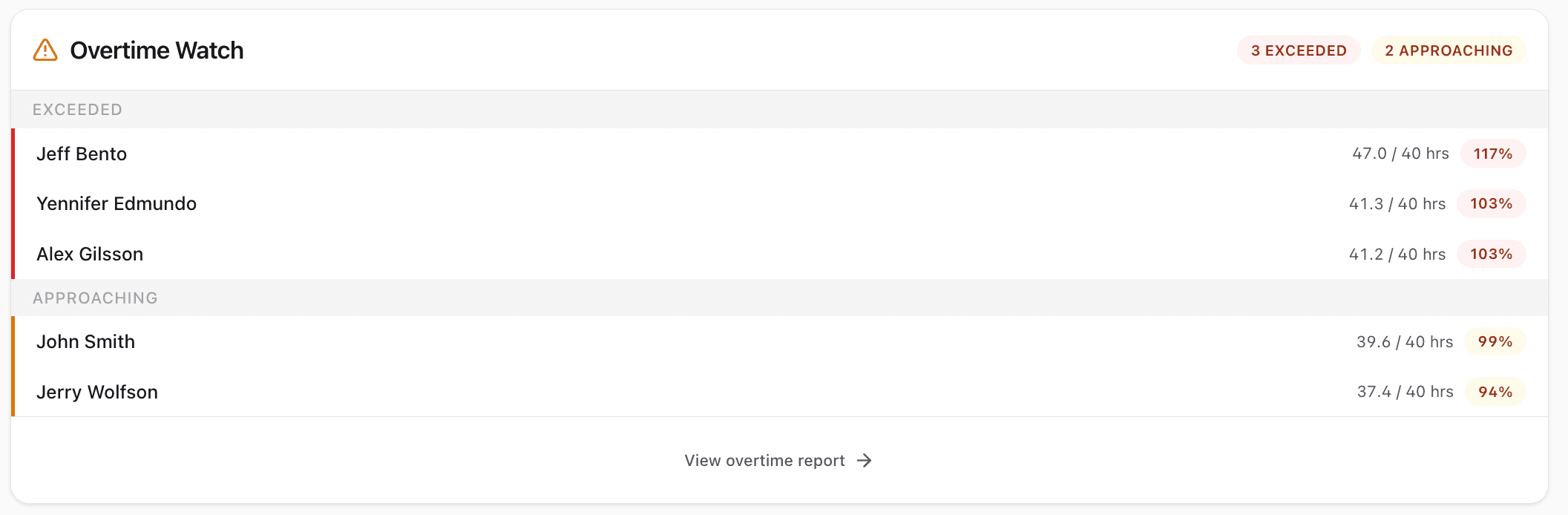
See a live view of every employee's weekly hours. Color-coded indicators show who's approaching overtime.
Cost Savings
Businesses using CrewPunch reduce unplanned overtime by catching it early and adjusting schedules proactively.
How it works
CrewPunch monitors employee hours in real-time and alerts you before anyone crosses into overtime. Set a warning threshold percentage (75%–95% of the overtime limit) and receive in-app and email notifications when employees approach that level. The Overtime Watch on the admin dashboard shows who has exceeded overtime and who is approaching it, so you can adjust schedules proactively.
Frequently asked questions
How do overtime alerts work?
CrewPunch checks each employee's weekly hours after every clock-out. When an employee reaches your warning threshold (e.g., 90% of 40 hours = 36 hours), admins receive an in-app notification and email alert. A second alert is sent when overtime is actually exceeded.
How do I configure the overtime threshold?
Go to Settings and set your weekly overtime threshold (default is 40 hours), the overtime multiplier (default 1.5x), and optionally a double-time threshold and multiplier. You can also set the warning alert percentage from 75% to 95%.
What is the Overtime Watch?
The Overtime Watch is a panel on the admin dashboard that shows employees who have exceeded the overtime threshold and those who are approaching it. It displays current hours, the threshold, and a percentage indicator for each employee.
Does CrewPunch support double-time?
Yes. You can set a double-time threshold (default 60 hours/week) and multiplier (default 2x) in Settings. The Payroll page calculates regular, overtime, and double-time hours and pay separately.
Can I disable overtime tracking?
Yes. Overtime tracking can be turned off entirely in Settings. When disabled, no alerts are sent and the Payroll page treats all hours as regular hours.
Related features
Explore more ways CrewPunch helps your team.
Payroll Reports
Two powerful report tools: Payroll Reports with automatic overtime and pay calculations, and Activity Reports with detail/summary views, custom date ranges, and employee or project filters. Export as CSV or Excel.
Shift Scheduling
Create and publish employee schedules in minutes. Build a master schedule from reusable shift templates, assign recurring shifts, and manage swap requests — all in one place.
Team Management
Four role levels — owner, admin, manager, and employee. Assign managers to oversee their direct reports. Work site assignments keep teams organized.
Ready to try Overtime Alerts?
The easiest way to track hours for your hourly team. Try it free for 14 days.
Start Your Free Trial14-day free trial • No credit card required • Cancel anytime