Shift Scheduling
Template-based scheduling that makes scheduling easy. Schedule employees for weeks or months in minutes.
Start Your Free TrialView the schedule in multiple ways
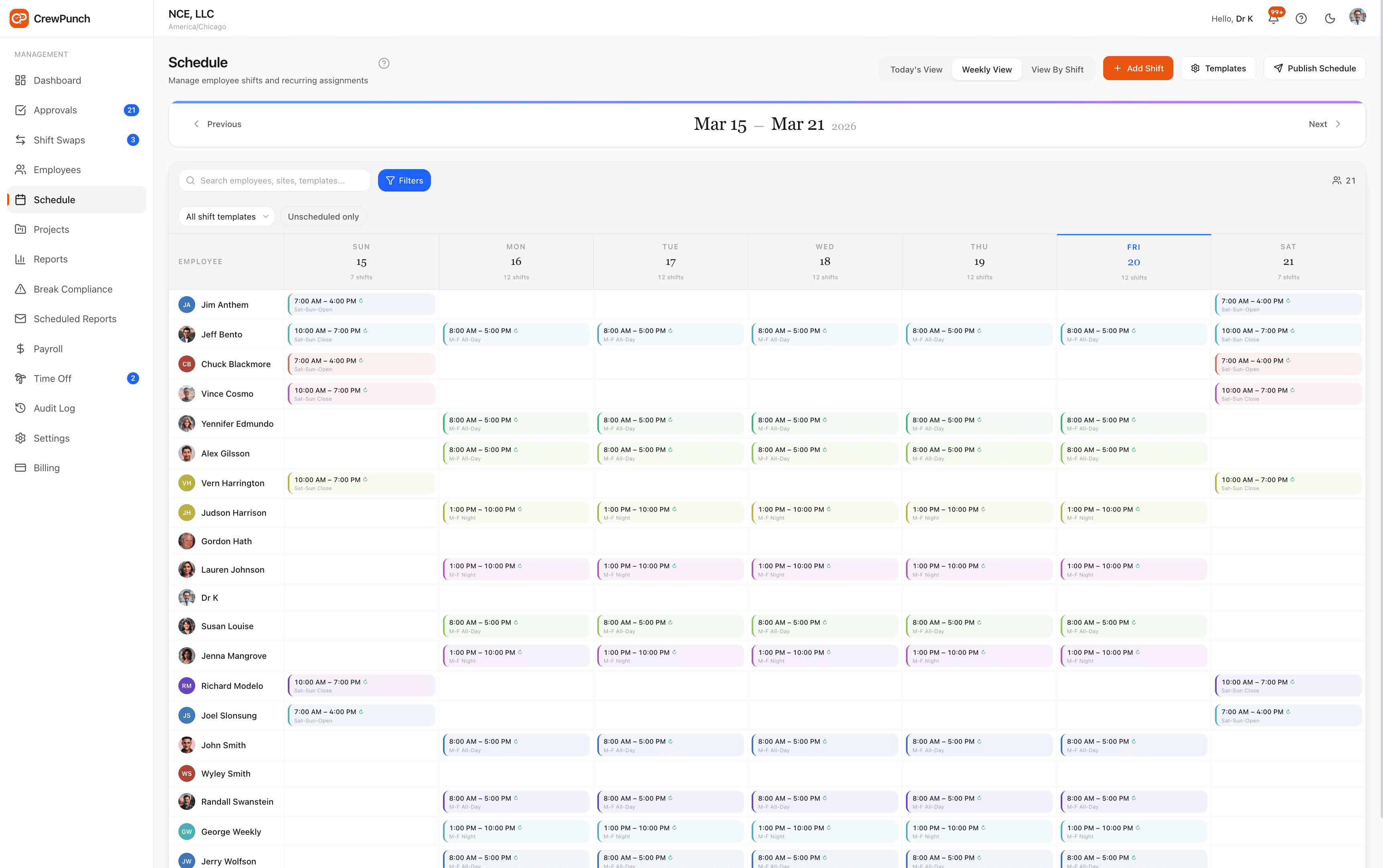
The Weekly View enables you to filter by employee or shift.
Employees can coordinate their swap shifts, but managers get final approval.
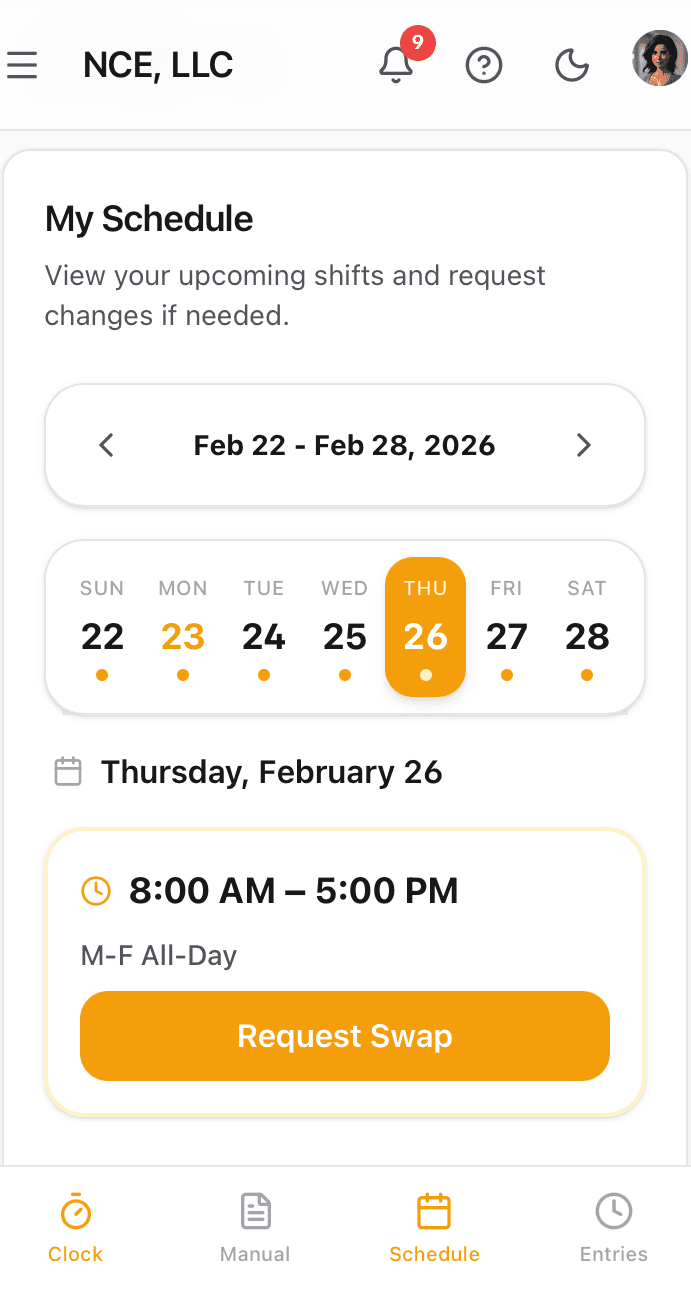
View swap details
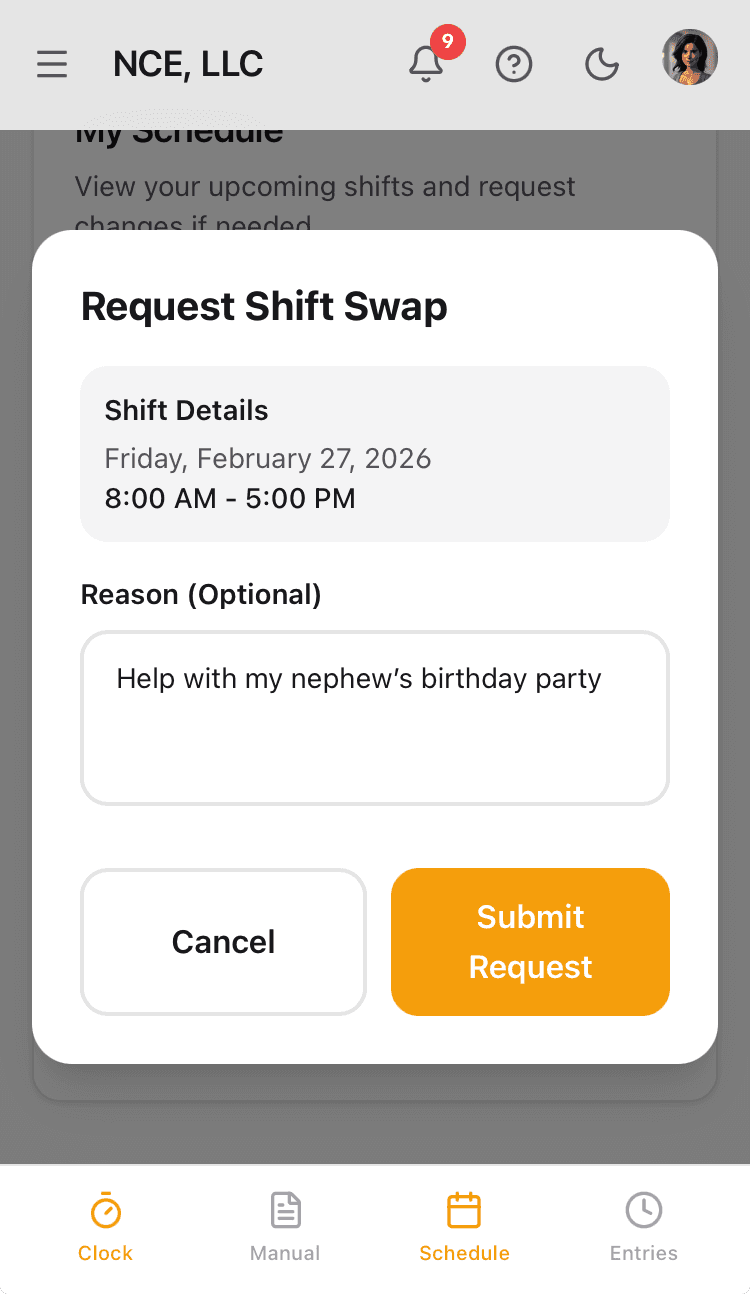
Request a shift swap
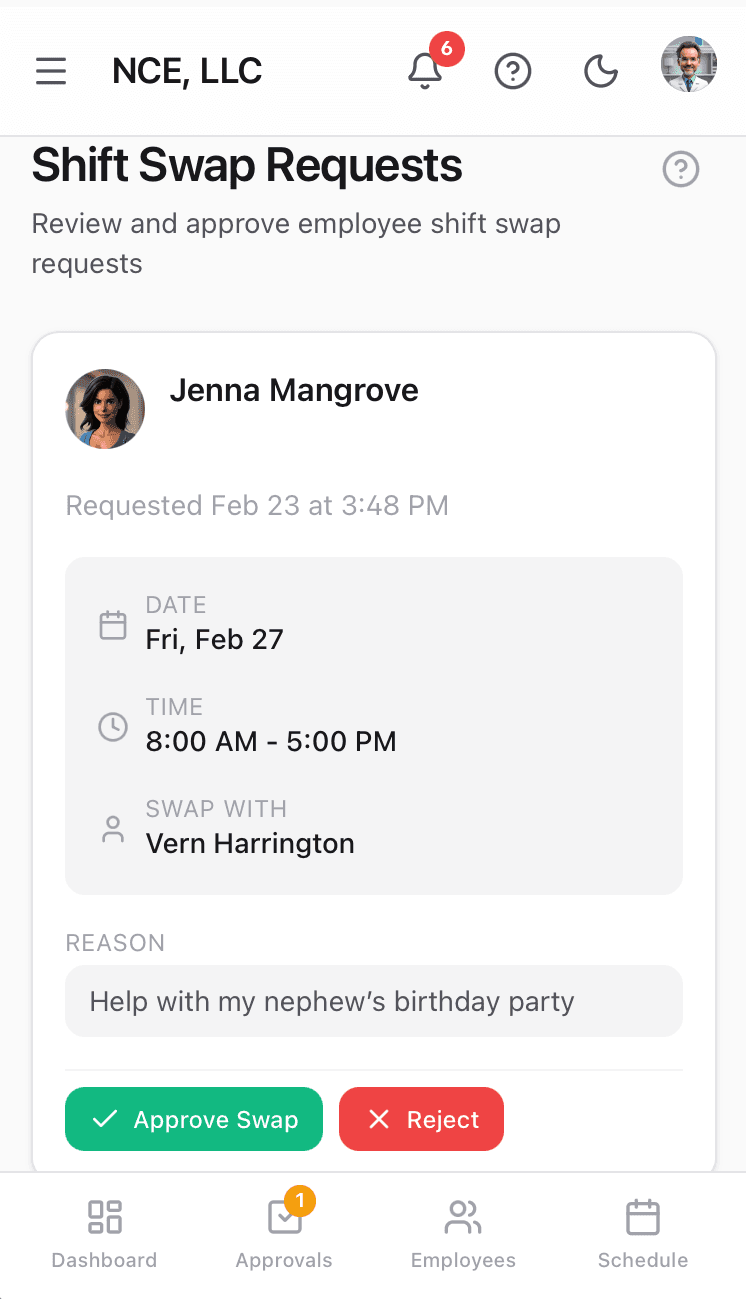
Manager approves or rejects
Why teams love Shift Scheduling
Master Schedule Templates
Define reusable shift templates with configurable days-of-week, start and end times, and color-coded labels. Build your master schedule once and reuse it every week.
Recurring Assignments
Assign employees to shifts on a recurring basis with optional start and end dates. The weekly schedule auto-generates from your master schedule — no re-entry required.
Shift Swap Workflow
Employees request shift swaps directly in the app. Managers review requests with automatic conflict checking and approve or reject with a single tap.
Schedule Publishing
Publish weekly schedules and notify the entire team automatically. Track which employees have acknowledged their upcoming shifts.
How it works
CrewPunch's scheduling system is built around a master schedule with reusable shift templates. Define your shift patterns once — like "M-F All-Day" or "Weekend Close" — then assign employees on a recurring basis so the weekly schedule generates itself. When life happens, employees can request shift swaps directly in the app, and managers approve or reject with built-in conflict checking. Publish the schedule each week and every employee gets notified instantly.
Create shift templates in the Master Schedule
Define your recurring shift patterns — name, days of the week, start and end times. Templates like "M-F All-Day" or "Sat-Sun Close" become the building blocks of your schedule.
Assign employees to recurring or one-time shifts
Add employees to shift templates on a recurring basis, or create one-off shifts for special coverage. Set optional start and end dates to handle seasonal or temporary assignments.
Publish the schedule and notify the team
When the week's schedule is ready, publish it with one click. Every assigned employee is notified and can view their upcoming shifts from any device.
Manage shift swap requests as they come in
Employees request swaps through the app. Managers see pending requests, review conflicts automatically, and approve or reject — keeping the schedule accurate without back-and-forth.
Built for every workplace
See how teams across industries use Shift Scheduling.
Restaurants & Hospitality
Build a master schedule with morning, afternoon, and closing shifts. Assign servers, cooks, and hosts on a recurring basis and let them swap shifts when plans change — managers approve in seconds.
Retail
Schedule floor coverage across opening, mid-day, and closing shifts. Recurring assignments keep the roster consistent week to week, while one-off shifts handle holiday rushes.
Healthcare & Home Services
Coordinate caregiver shifts across multiple client locations. Recurring templates ensure continuous coverage, and the swap workflow handles last-minute call-outs without scrambling.
Construction & Field Service
Assign crews to job-site shifts that match project timelines. Set start and end dates on recurring assignments so the schedule adjusts automatically as projects wrap up.
Frequently asked questions
How does the master schedule work?
The master schedule is a set of reusable shift templates that define your recurring shift patterns. Each template has a name, color label, days of the week, and start/end times. You assign employees to these templates, and CrewPunch generates the weekly schedule automatically.
Can I create one-time shifts outside the recurring schedule?
Yes. In addition to recurring assignments, you can create one-off shifts for any date. This is useful for special events, extra coverage, or filling in when someone is unavailable.
How do shift swaps work?
An employee submits a swap request through the app, selecting the shift they want to give up and the coworker they want to swap with. The manager receives the request, reviews it for scheduling conflicts, and approves or rejects it. Both employees are notified of the outcome.
What happens when I publish a schedule?
Publishing locks in the week's schedule and sends notifications to all assigned employees. They can view their shifts from any device. CrewPunch tracks which employees have acknowledged the published schedule.
Can I set start and end dates on recurring assignments?
Yes. Each recurring assignment supports optional start and end dates. This is useful for seasonal employees, temporary projects, or any situation where a shift assignment has a known expiration.
How do I see who is scheduled for a specific shift?
Use the "View By Shift" tab on the schedule page. Each shift is listed with a toggle button — click to show or hide individual shifts. This lets you quickly focus on a specific shift and see exactly which employees are assigned to it.
Related features
Explore more ways CrewPunch helps your team.
One-Tap Time Clock
Simple employee time clock app that works on any device. One-tap clock in/out with GPS verification. No app downloads required.
Team Management
Four role levels — owner, admin, manager, and employee. Assign managers to oversee their direct reports. Work site assignments keep teams organized.
Time Off Tracking
Manage PTO requests, track vacation balances, and handle approvals in one place. Employees request time off from their phone, managers approve instantly.
Ready to try Shift Scheduling?
The easiest way to track hours for your hourly team. Try it free for 14 days.
Start Your Free Trial14-day free trial • No credit card required • Cancel anytime